
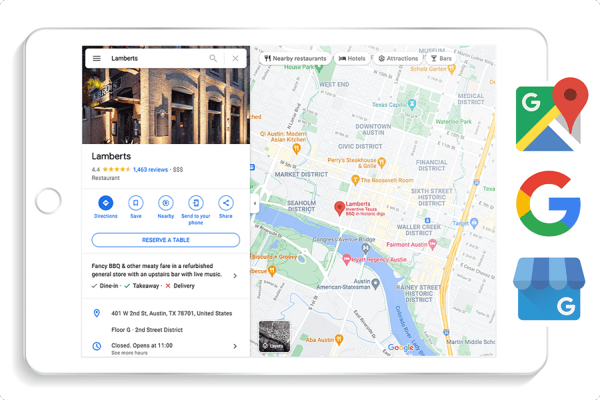
Google My Business (GMB) is a free and powerful tool for local businesses to increase their online visibility and attract new customers. With GMB, businesses can manage their online presence across Google, including search and maps. However, before businesses can take advantage of all the features of GMB, they need to verify their business.
In South Africa, the GMB verification process is relatively straightforward, but there are a few important steps that businesses need to follow. In this blog post, we’ll guide you through the process of verifying your business on GMB.
Step 1: Create a Google My Business account
The first step to verifying your business on GMB is to create a Google My Business account. Go to the Google My Business homepage and click on the “Manage now” button in the top right corner. You will need to sign in to your Google account or create a new one if you don’t already have one.
Step 2: Add your business information
Once you’ve signed in to your Google account, you can start adding your business information. Make sure to provide accurate and complete information, including your business name, address, phone number, website, and business category.
Step 3: Request verification
After you’ve added your business information, you will need to request verification. Google will send you a postcard with a verification code to the address you provided. This process can take up to two weeks, depending on your location.
Step 4: Verify your business
Once you receive the postcard, you can verify your business by entering the verification code in your GMB account. Once you’ve verified your business, you can start taking advantage of all the features of GMB, including creating posts, responding to reviews, and adding photos.
Tips for GMB Verification in South Africa
Here are a few tips to help you with the GMB verification process in South Africa:
- Use a physical address
To verify your business on GMB, you need to have a physical address. P.O. boxes are not accepted as valid addresses for verification. Make sure to use a physical address that can receive mail.
- Provide accurate information
Make sure to provide accurate and consistent information across all your online profiles, including your GMB account. Inaccurate information can negatively affect your local SEO efforts and make it harder for customers to find you.
- Monitor your account
Once you’ve verified your business on GMB, make sure to monitor your account regularly. Respond to customer reviews, update your information as needed, and take advantage of all the features of GMB to improve your online presence.
GMB is an essential tool for local businesses in South Africa looking to increase their online visibility and attract new customers. By following the steps outlined in this blog post and providing accurate and complete information, you can verify your business on GMB and start taking advantage of all the features it offers. Remember, GMB verification is an ongoing process, so make sure to monitor your account regularly and make updates as needed to stay ahead of the competition.
Get a Quote
Let us register and verify your GMB listing. Click here for a quote and one of our digital specialists with get in touch.
